This section has moved to End-user identity.
This section has moved to Short-lived tokens.
This section has moved to Quickstart.
Create a key in the console
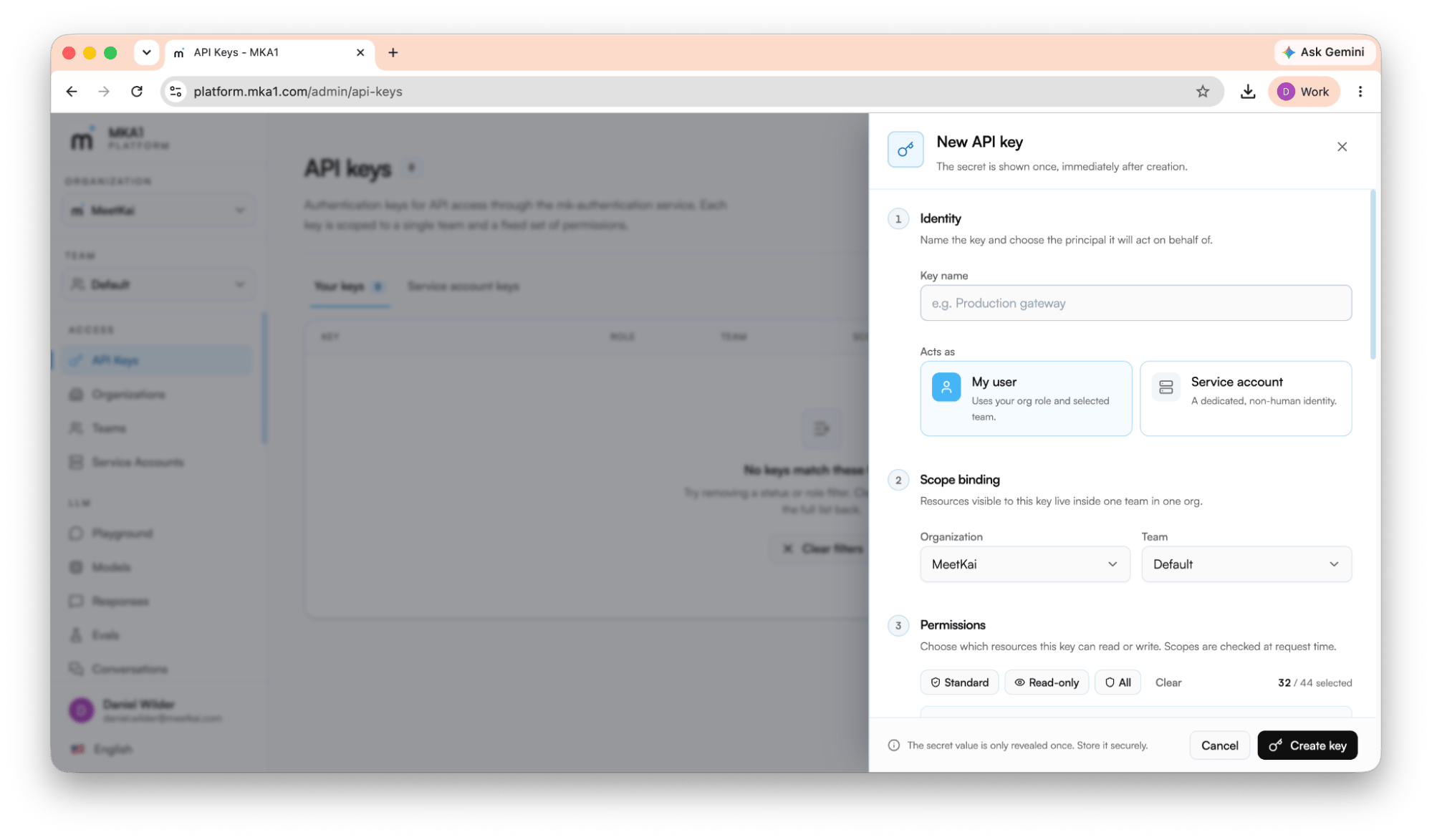
1 · Identity
Name the key (e.g. Production gateway) and choose the principal it acts as: My user (uses your org role and selected team) or a Service account (a dedicated non-human identity. Service accounts are recommended for production use cases).2 · Scope binding
Pick the organization and team the key belongs to. A key can only see resources inside that one team in that one org, so choose the team whose models, files, and agents this key should reach. Keys must be scoped to a team, and the Default team is already there. If you’re a member who belongs to no team, ask an admin to add you to one before you create a key.3 · Permissions (scopes)
Choose which resources the key can read and write. Scopes are checked on every request. Use a preset to move fast, then adjust:- Standard - the everyday read/write scopes for building apps (responses, conversations, files, vector stores, prompts, agents, and more). For an admin, the preset also includes the repositories scopes.
- Read-only - every
read:scope you’re allowed to issue, and nothing else. - All - every scope, including admin-only ones. Available only to org owners and admins.
4 · Rate limiting (optional)
Optionally cap the key to a maximum number of requests per minute, hour, or day. The gateway enforces it and returns429 Too Many Requests before the request reaches a model, so over-limit calls cost nothing.
Choose an identity
Use a service account for production applications. See End-user identity when your server acts for application users, or Short-lived tokens when a downstream client needs temporary access.Send your API key
Pass your API key as a bearer token.https://apigw.mka1.com as the base URL.